Changelog
Khmer Keyboard
What changed in each Khmer Keyboard release, newest first.
Every release, newest first. The same notes appear in the app under What's new.
1.2.0
- Type Khmer with Latin letters. A second input source, Khmer Latin, types phonetically:
nhom jong tov phsarbecomes ខ្ញុំចង់ទៅផ្សារ. Candidates work the same as on the Khmer layout — press 1–5 to pick one, or keep typing. - Two sources, one dictionary. Installing adds Khmer Latin next to Khmer Native, and ⌃Space switches between them. A word you teach one is known to the other.
- 3,516 words, and it will miss some. A word it doesn't recognise commits as the Latin you typed rather than swallowing your keystrokes — so you are never stuck mid-sentence.
- The install button tells the truth. It reports success only once macOS has actually enabled both input sources.
1.1.4
- The suggestion overlay follows the app's theme. Set light or dark in Settings and the overlay matches; "system" keeps following macOS. Dark mode now uses the app's true near-black surface instead of a lighter gray.
- Always five suggestions. With a CLI engine, the overlay used to sit at three while waiting on the AI — the dictionary now fills all five instantly and AI results slide in as they arrive.
- The suggestion source descriptions no longer name a specific model, since the engine is yours to choose.
1.1.3
- The install button no longer claims success when it hasn't finished. macOS only enables a newly-installed input method after a login, and the button used to report "activated" regardless — so nothing appeared in the input menu and there was no hint why.
- When that happens it now tells you the faster fix: add Khmer Keyboard under Settings › Keyboard › Input Sources › + › Khmer, which works immediately, instead of only suggesting a logout.
1.1.2
- The developer tools are no longer reachable in the installed app.
- Custom suggestion engine — point the AI tier at any CLI you have, not just Claude, Codex or Gemini.
- CLI detection now finds tools installed in
~/.local/bin, which it used to miss.
1.1.1
- Smaller, faster download — the app ships about 80 MB leaner, with no change to features.
1.1.0
-
Suggestions continue across a whole sentence — no longer stopping after the first word (Khmer word tokenizer).
-
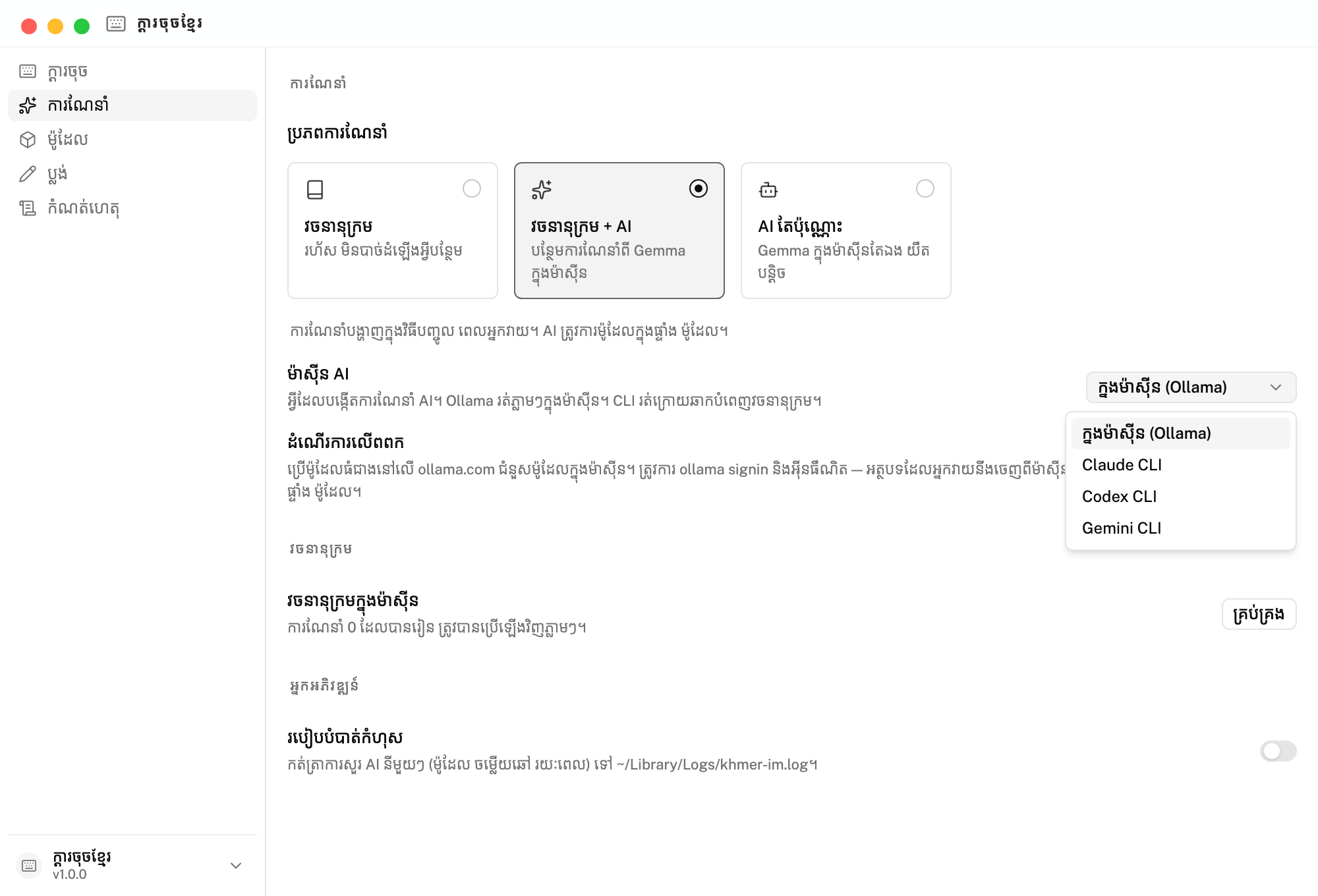
Choose the suggestion engine — on-device Ollama, or a CLI (Claude, Codex, Gemini) that fills the dictionary in the background.
-
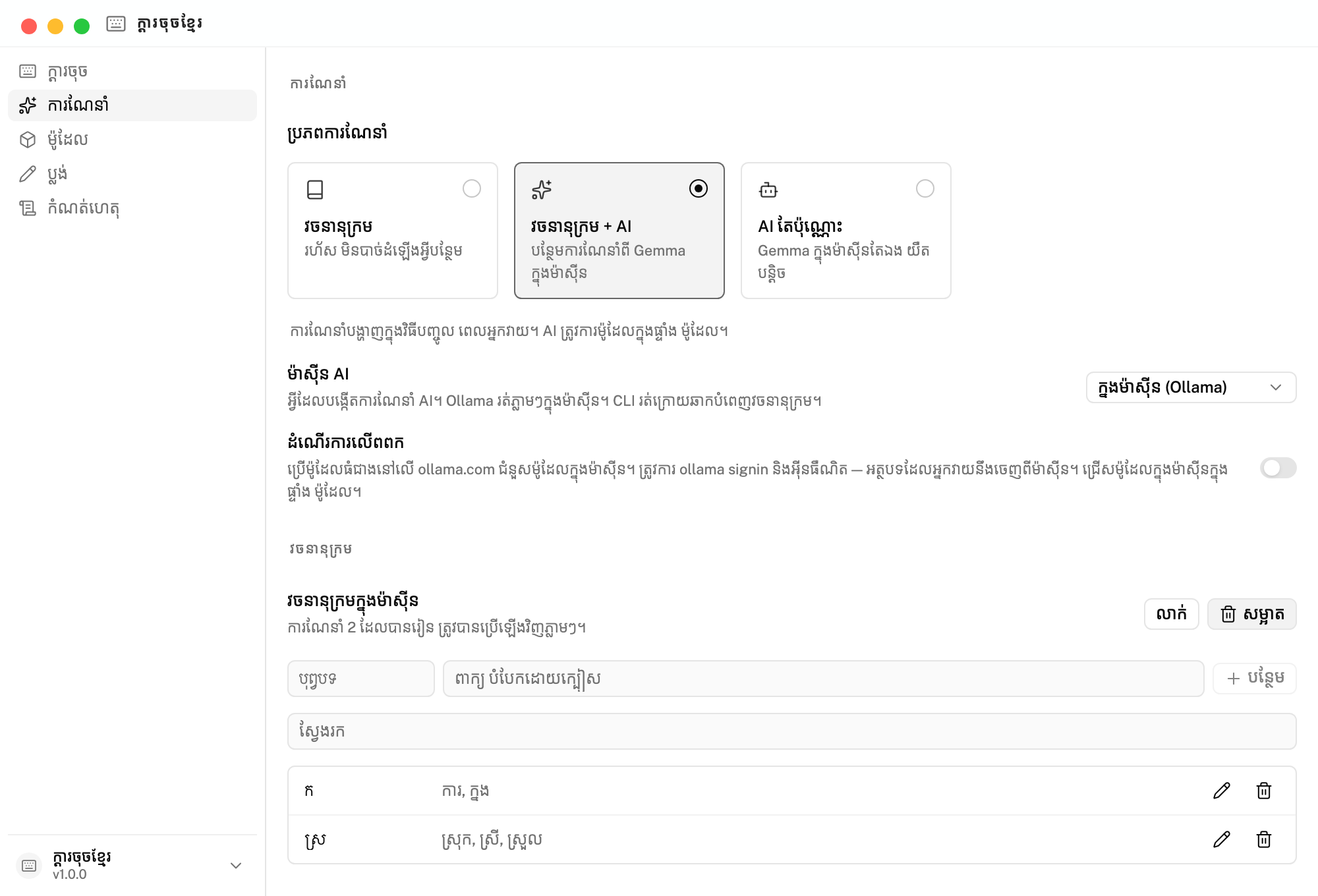
Local dictionary — view, add, edit, delete. Learned completions are cached, so a repeat prefix is instant.
-
Pick which on-device model powers suggestions, right in the Models tab.
-
All suggestion settings gathered into one place.
-
Fixed: turning Ollama cloud off now falls back to the on-device model without a restart.
1.0.0
- Install the Khmer Keyboard input method with one click — no manual setup.
- Five suggestions per query from the local Gemma model, up from one.
- Fixed Khmer suggestions being discarded when they added a vowel or diacritic.
- Option to run a bigger model on Ollama cloud instead of the on-device one.
- The model preloads when you switch to the keyboard, so the first suggestion is fast.
- Fixed the suggestion panel getting stuck on screen when an app quit.